PDP-to-campaign production
PDP-to-campaign production means making lookbook, lifestyle or campaign images from the product references and approved models already used for product pages, instead of organising a separate shoot for each channel.
PDP-to-campaign production turns the most expensive parts of product imagery, an approved model and garments rendered correctly, into the starting point for lookbook and campaign images. Instead of a new shoot per channel, the same references and models carry through.
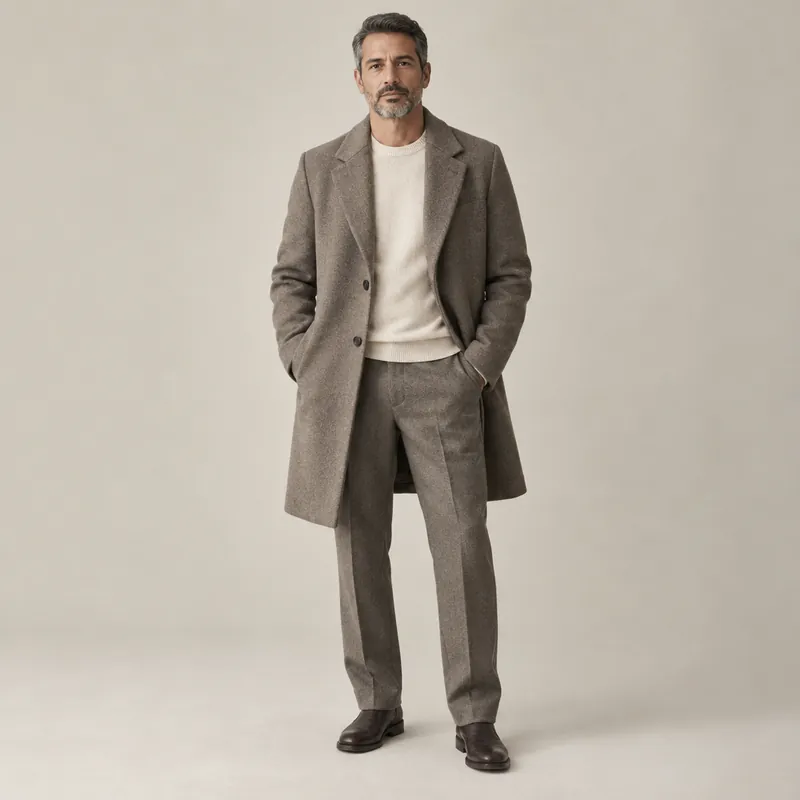
What carries over, and what changes
| Carries over from PDP | Added for campaign |
|---|---|
| Approved model identities | Locations and environments |
| Product references and fidelity checks | Light and time of day |
| Colour and construction rules | Art direction per frame: crop, angle, scale, movement |
| File specs and naming | Layout, sequencing and formats per channel |
Where it gets harder
- Garment fidelity in motion. Walking, sitting and turning put more strain on construction and drape than a standing product shot. Check construction drift closely.
- Consistency across settings. A model under warm evening light and flat noon light can drift in skin tone. Review a campaign set together, not image by image.
- Variety. Forty centred, full-length, eye-level frames read as a catalogue. Campaign images need composition decided per frame.
- Disclosure. Campaign images with generated people are likely deep fakes under the EU AI Act. See deep fake (EU AI Act).
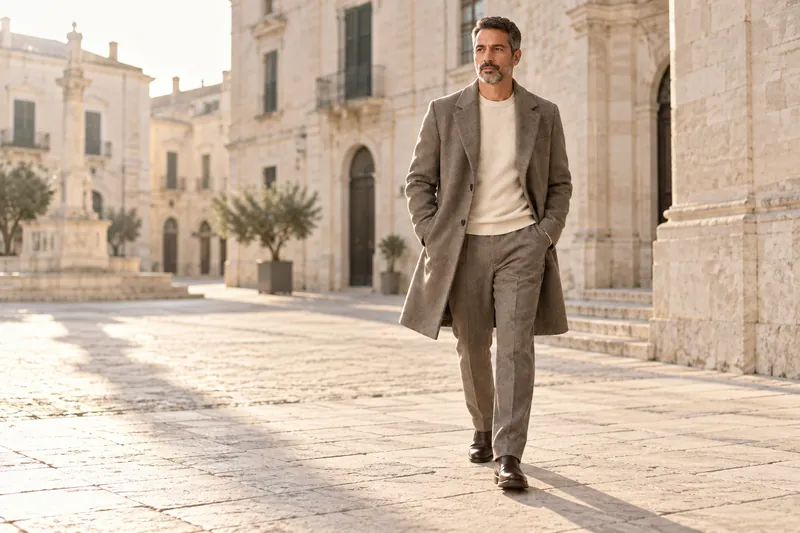
Why brands do it
The approved model and the product references already exist after PDP production, so campaign images can be made on the calendar of the drop instead of the calendar of a shoot. More on planning the lookbook side in how to make a lookbook for a clothing brand, and on HUMBLEBOB's Lookbooks and campaigns.