Journal / Product pages
How many photos does a fashion product page need? A shot list by category
How many photos a fashion product page needs, by category: shot lists for tops, denim, dresses, outerwear, shoes and bags, plus what platforms allow.
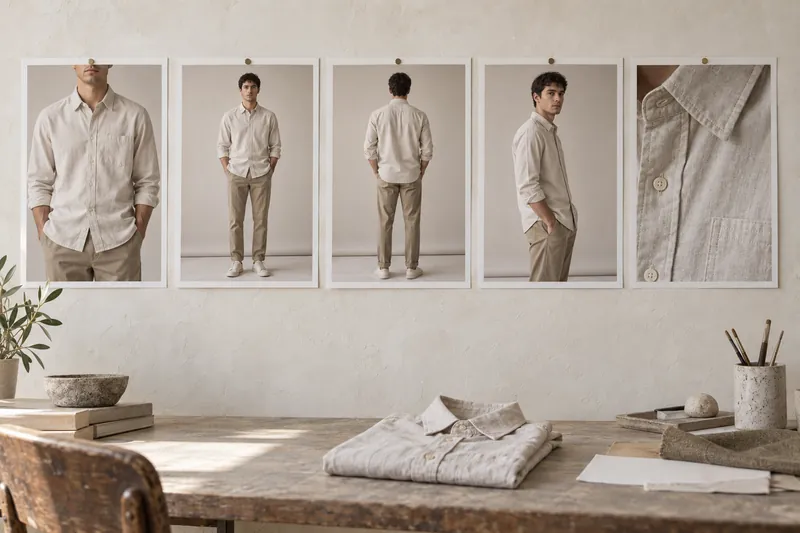
Most clothing products need five to seven images on the product page, the range Amazon's 2021 fashion imaging guide also asked for: a front image on the model, a full-length image, a back view, a side or three-quarter view, and one or two close-ups of fabric and details. Some categories need more. Denim needs a fit shot around the thigh, knitwear a texture close-up, and shoes and bags several product angles. Below is a shot list per category, what the platforms allow, and what to cut first when the budget is tight.
Read the video as text
5 to 7 images for most clothing. Front crop, full length, back, side, one or two details. Denim adds a waist-to-knee fit shot. Outerwear adds one image open. Plan the shot list for every channel. Sources: Amazon, Zalando, About You and Google guidelines, September 2026.
The short answer by category
| Category | Images | What they are |
|---|---|---|
| T-shirts and tops | 5 | Front crop, full length, back, side, fabric detail |
| Shirts | 6 | Front crop, full length, back, side, collar detail, fabric or print detail |
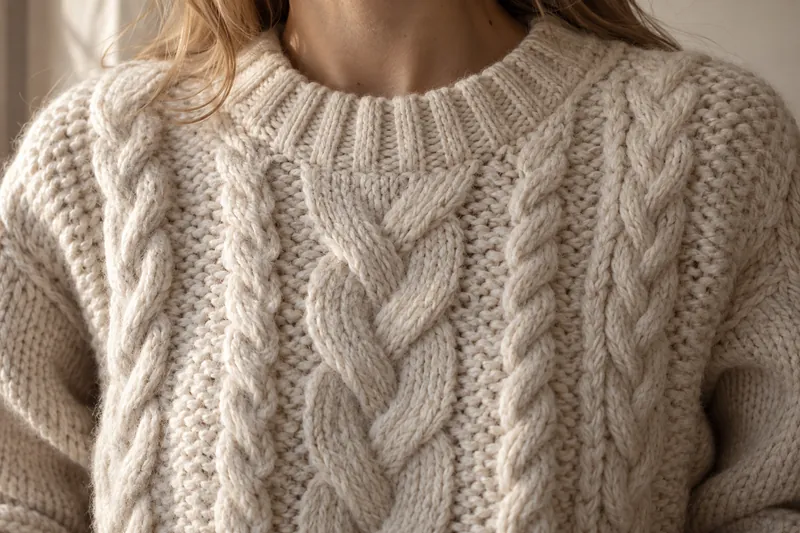
| Knitwear | 6 | Front crop, full length, back, side, knit texture close-up, cuff or neckline |
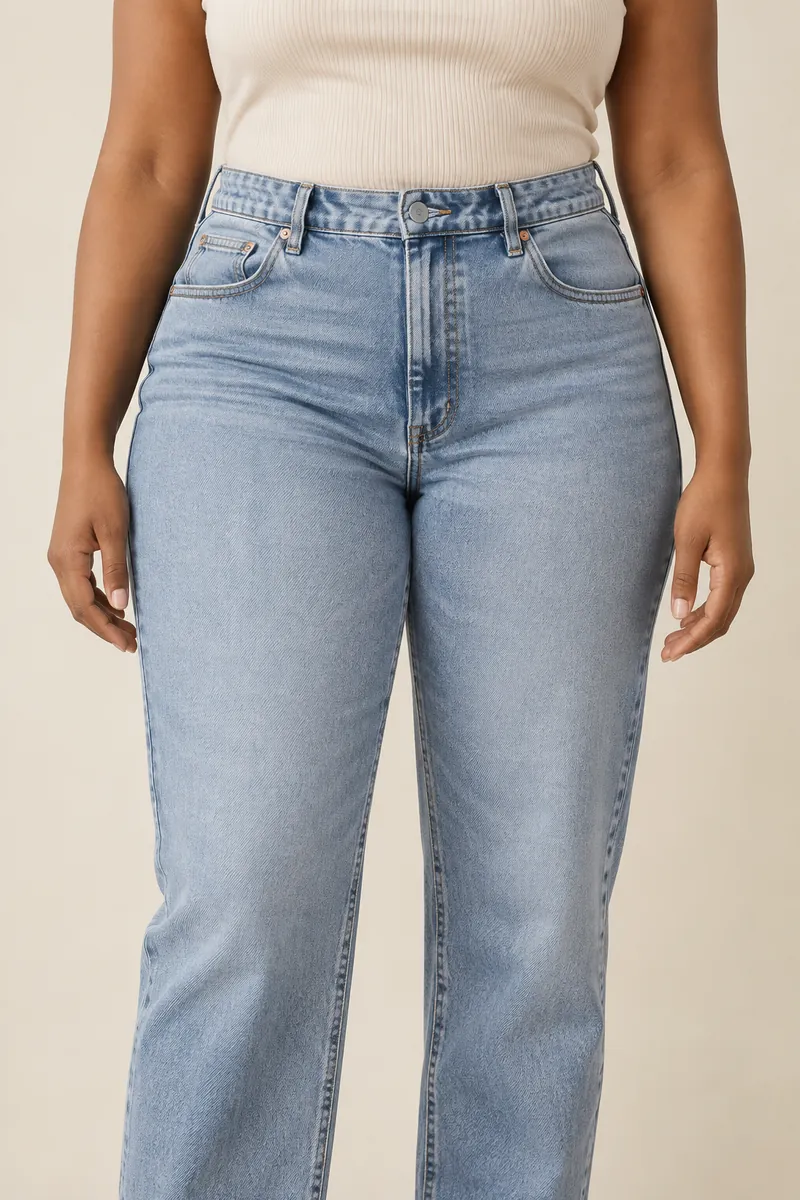
| Denim | 7 | Front crop, full length, back, side, waist-to-knee fit shot, wash detail, hardware |
| Trousers | 6 | Front crop, full length, back, side, waistband, fabric |
| Dresses and skirts | 6 | Full length front, back, side, movement shot, fabric, neckline or hem |
| Outerwear | 7 | Front crop closed, full length, back, side, open to show lining, hardware, fabric |
| Shoes | 6 to 8 | Side, front three-quarter, back, top, sole, on foot, detail |
| Bags | 6 to 8 | Front, side, back, inside, strap, on body for scale, hardware |
| Caps and hats | 4 to 5 | On the head front, side, back, product only, badge detail |
These are starting points. Once you settle them, write them into your photography style guide.
Why the number matters
In Baymard Institute's product page testing, 56% of users started by exploring the images, and a quarter of the sites benchmarked in the same study had images too low in resolution, or too small to zoom, to judge the product.
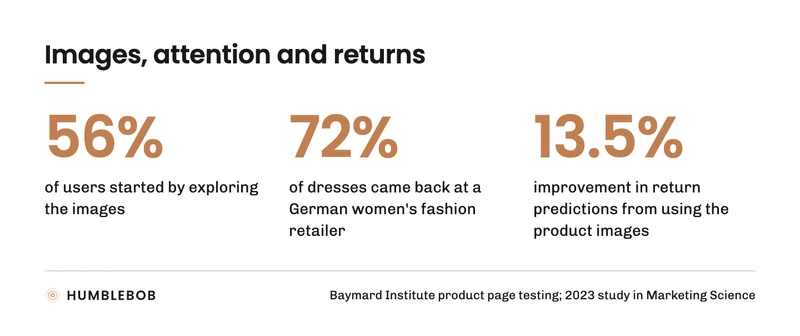
Images are also tied to returns. A 2023 study in Marketing Science looked at 4,585 items from a German women's fashion retailer, where the average item came back more than half the time and dresses 72% of the time. Using the product images improved return predictions by 13.5% (MIT Sloan summary). The study did not test gallery size, but it shows that what an image shows and what comes back are linked.
You may see "5 to 15 images" quoted from Baymard. That figure is about thumbnails in product lists, not the product page gallery.
The base set for apparel
Fix the order as well as the count. When the back view is always the third image, customers find it without thinking, and reviewers spot a missing one at a glance.
- Front, cropped. Chin or nose to mid thigh. The garment fills the frame. Many fashion sites use it as the main image.
- Front, full length. Head to toe, so the customer sees length and proportion.
- Back. Prints, pockets, yokes, vents and back length.
- Side or three-quarter. How the garment sits on the body in profile: drape, volume, fit through the hip.
- Detail. Fabric, print, stitching, labels, hardware. Customers zoom here to judge quality.
Add a sixth or seventh image when the category needs it, as in the table above.
Shot list by category
Tops and T-shirts. The base set. The detail should show the fabric closely enough to see the knit or the weave, since a close-up is how customers tell a heavy tee from a thin one.
Shirts. Always add a collar detail. Collar shape is one of the main differences between shirts that look the same in a thumbnail.
Knitwear. Show the knit structure in a close-up, in light that shows texture. A flat, frontal light makes a cable knit look like a print.
Denim. Add a fit shot from waist to knee. That is where jeans differ from each other, and it is what denim buyers look at. Add a wash detail and one of the hardware: buttons, rivets, back pocket stitching.
Trousers. Show the break at the hem in the full-length image, and the waistband in a detail.
Dresses and skirts. The full-length image carries the product, so make it the first image. Add a movement shot, because drape is easier to judge in motion.
Outerwear. Shoot it closed by default, then add one image open to show the lining and what the coat looks like worn casually. Add hardware and fabric details.
Shoes. Mostly product angles, plus one image on the foot for proportion. Include the sole.
Bags. Show the inside, the strap length, and one image on the body so customers can judge the size.
Accessories worn on the head or neck. Show them worn. A cap on a table tells the customer nothing about how it sits.
How many images Amazon, Zalando, Shopify and Google allow
Your own site has no practical limit: Shopify allows up to 250 media per product. Marketplaces set minimums and rules of their own:
| Platform | Images | Rules to know |
|---|---|---|
| Amazon | One main image required; Amazon recommends at least six more and a video. The clothing page allows up to eight alternates per SKU. | Adult clothing main image on a standing model. A main image for every colour you sell. |
| Zalando | Three compliant images for apparel; two for hosiery, socks and underwear | The first image is a front crop on a model wearing shoes, or a ghost or laid-down packshot. |
| About You | At least one packshot and one model image; four to eight recommended | 1 to 2 packshots, 2 to 4 model images, 1 to 2 details, all at 3:4. |
| Google Merchant Center | One main image and up to ten additional | Additional images can show the product in use. |
Amazon's own documents do not agree on a number: its 2021 fashion imaging guide asked for five to seven images, the clothing help page allows eight alternates, and the current image guide recommends six or more. Articles that quote one Amazon number are reading one of these.
Amazon's 2021 fashion guide also sets the main crop by category: full length for anything that reaches the knee or below, the upper body for tops and short outerwear, and waist down for trousers, skirts and shorts. Main images are cropped from the nose down. Copy the crop rules for your own site even if you never sell on Amazon: a grid where every top is cropped the same way reads as one range.
Size and fit information
Customers use images to judge size: in Baymard's testing, 42% of users tried to work out a product's size from its images. An image alone does not tell them how a garment will fit their body, so add the numbers. State the model's height and the size they wear, under the images or in the product details. When you show the same garment on more than one body type, say which size each model wears. One caveat: a 2022 study with 400 UK women found that showing diverse body shapes improved how well shoppers judged fit, but did not raise purchase intention on its own.
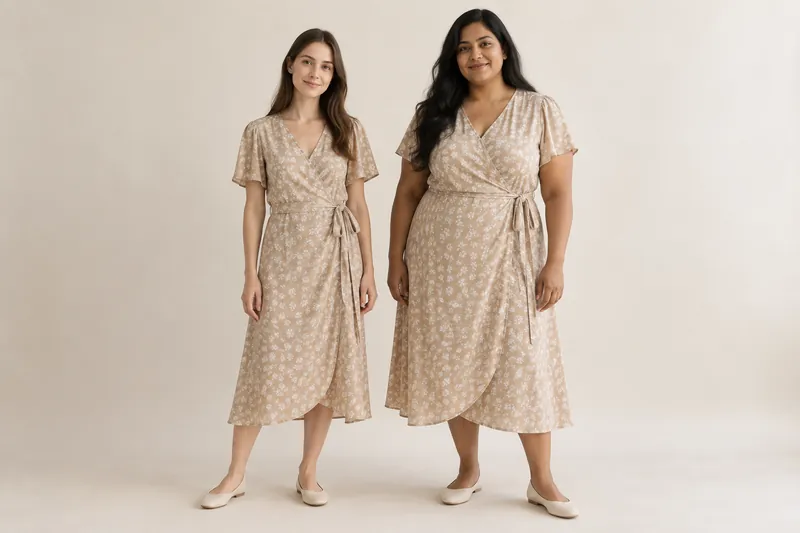
Generated models need the same caption. Approve each model's height and the size they wear before production, and keep both fixed, so the caption stays true across the range.
Product-only images
Many brands add a product-only image next to the on-model images: a ghost mannequin or a flat lay. It gives a cleaner category grid. About You requires one packshot per apparel item, and Amazon wants accessories and multipacks shown flat, without a model. Our article on ghost mannequin, flat lay and on-model images covers which works where.
What to cut when the budget is tight
If you cannot shoot the full set for every product, cut in this order, from first to last:
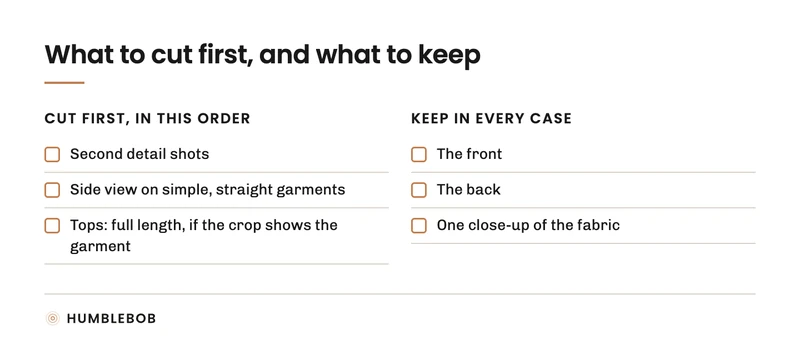
- Second detail shots.
- The side view on simple, straight garments.
- The full-length image on tops, if the cropped image shows the full garment.
Keep the front, the back and one close-up of the fabric in every case. Three compliant images is also Zalando's minimum for apparel.
Keep it the same across the range
A common problem is inconsistency: six images on one product, three on the next, a different order on a third, a back view missing because a sample was late. Customers notice gaps when they compare products side by side. A fixed shot list per category, reviewed on every product before it goes live, fixes that.
At HUMBLEBOB, the shot list per category is agreed with your team at the start, before production, and carries over to every drop. See Product page photos and How we work.