Journal / Product imagery
Ghost mannequin vs flat lay vs on-model: which product photo for which job
On-model, ghost mannequin or flat lay? What each product photo style shows, what it costs, what marketplaces ask for, and which one to use for which job.
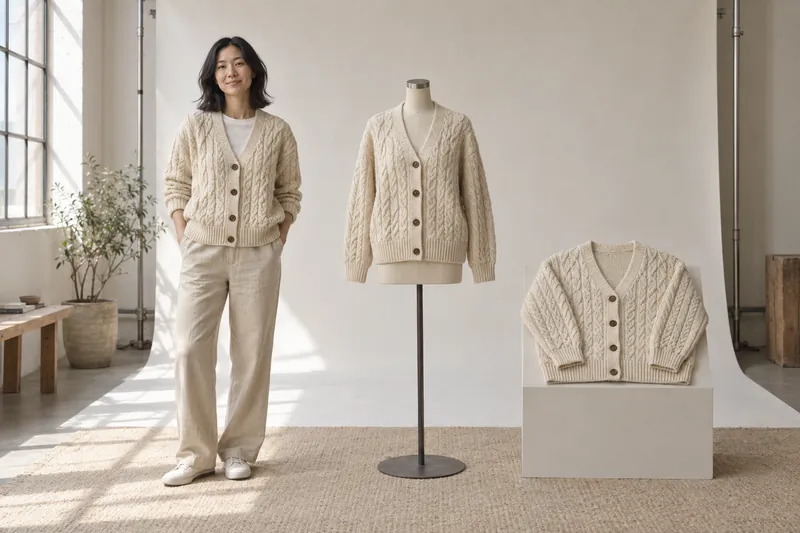
Use on-model images wherever fit decides the sale, and add one product-only image for grids, marketplaces and wholesale. Between the two product-only styles, ghost mannequin keeps the garment's volume and shows the inside of the neck, which suits tops, knits, jackets and dresses. Flat lay needs no mannequin or compositing and suits basics, kids' clothing and accessories, but anything fitted comes out flat. The price gap is smaller than most guides suggest: at several European studios a flat lay costs the same as a ghost image, or slightly more. Often the channel decides for you, because Amazon allows no mannequin in the main image for adult clothing and Zalando's packshot has to be ghost or flat.
Read the video as text
Ghost mannequin, flat lay or on-model? Amazon: adult clothing on a model in the main image. Zalando: on a model, or a ghost or laid-down packshot. About You: one packshot and one model image. Often the channel decides for you. Sources: Amazon, Zalando and About You guidelines, September 2026.
The three styles side by side
| On-model | Ghost mannequin | Flat lay | |
|---|---|---|---|
| What it shows | The garment worn: fit, length, proportion, styling | The garment's shape as if worn, without a body | The whole garment, flat, from above |
| Best for | Product page main images, fit-sensitive categories | Clean category grids, marketplaces, wholesale | Basics, kids, accessories, social content |
| Weak at | Consistency across seasons, cost per product | Fit on a real body; retouching adds cost | Shape and drape; fitted garments look flat |
| Cost per product | Highest: model, stylist, hair and makeup, usage rights | Mannequin shoot plus compositing | Often close to ghost: no compositing, but shaping by hand takes time |
| Speed | Slowest to organise | Fast to shoot, slower to retouch | Fastest |
On-model
On-model images answer the question customers care about most: how will this look when it is worn? They show length on the body, where a waistband sits, how a knit drapes and how wide a trouser leg is compared with a shoe. For fitted and fit-sensitive categories, such as denim, dresses, tailoring and swimwear, there is no good substitute.
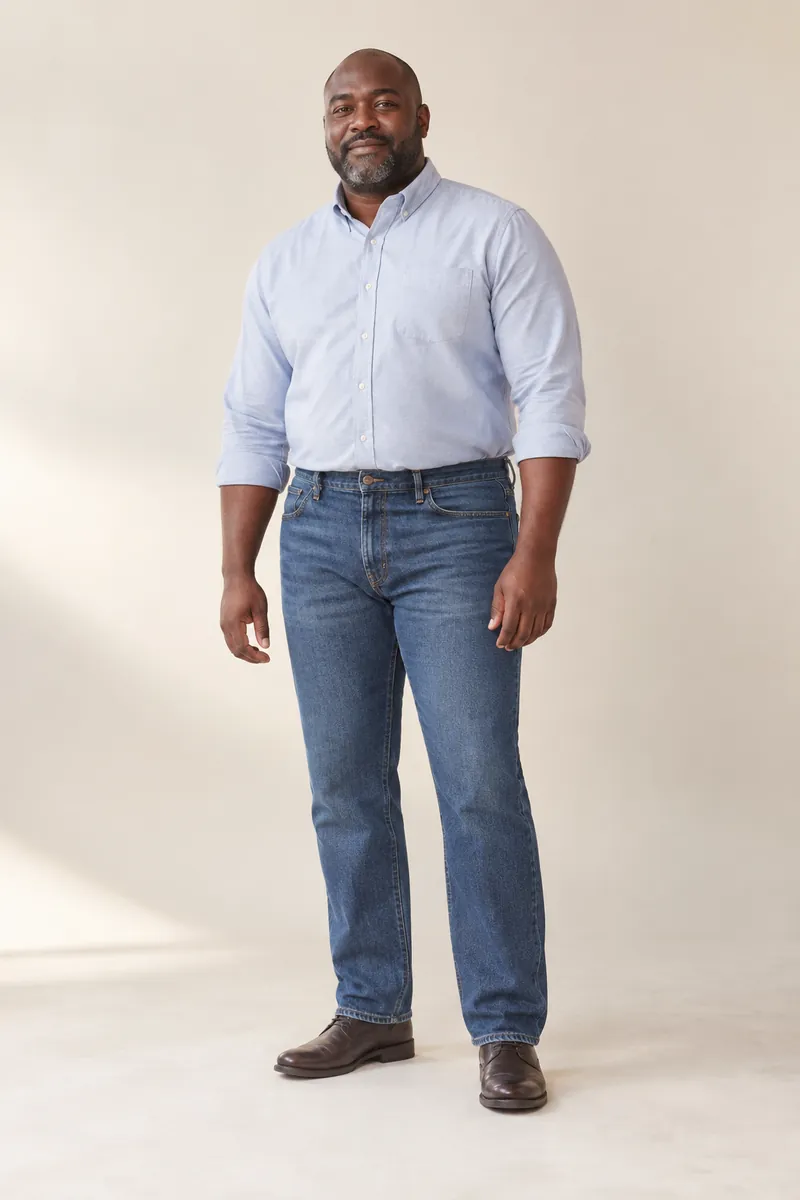
The costs sit in organisation and consistency. A shoot needs a model, a photographer, a stylist, hair and makeup, a studio, and usage rights for the model's image. The next season needs the same model, the same light and the same crops, or the category page starts to look patched together. Poses can also hide the product: a hand on the hip bunches a shirt hem, a raised arm pulls a jacket off its line. That is why on-model work needs a written style guide more than any other style.
What ghost mannequin photography is, and what it costs
A ghost mannequin image, also called invisible mannequin, shows a garment with its shape intact but no mannequin visible. The front view alone takes at least two captures. The garment is photographed on a mannequin, front and back. Then the mannequin's neck and chest pieces are removed and the inside of the collar, usually with the back neck label, is shot separately. A retoucher then removes the mannequin and combines the images, so the finished photo shows the outside of the garment and the inside of the neck in one image.
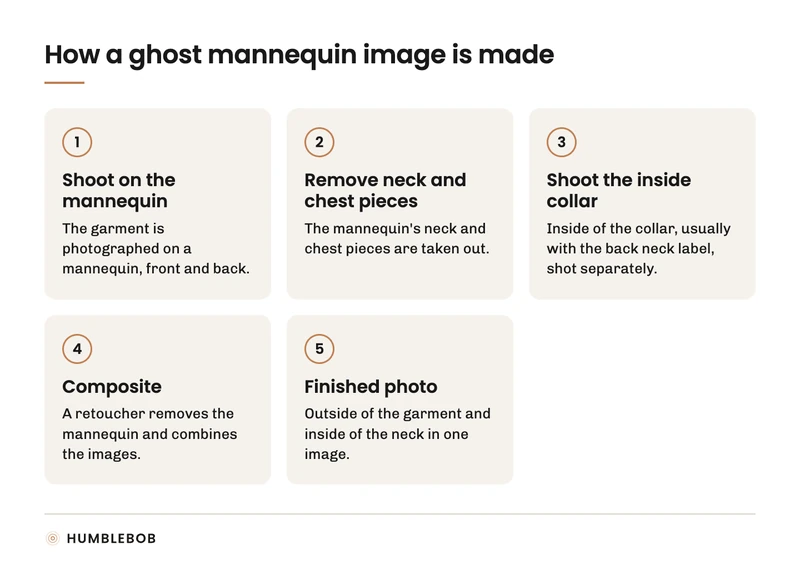
The result is consistent from product to product, needs no model, and gives a tidy grid. The limits: the garment's shape follows the mannequin, not a real body, so fit is only suggested, and the retouching is where the time and money go.
What it costs depends mostly on who shoots. If you supply the photos and only buy the retouching, online services start under a dollar per image: Path lists $0.89 for a simple garment and $1.79 for a complex one, and Pixelz starts at $0.95 to $1.45 depending on the plan. Full service in Europe, with steaming, styling, the shoot and the compositing included, runs from about €14.50 to €28 per final photo. Rotterdam Fotostudio charges €16.50 per photo for small orders and €14.50 from 50 photos. Scanmotion in Germany charges €16.95 to €27.90 net per photo, cheaper per photo when you order more views of the same item. These are list prices from the studios' own pages in September 2026. Watch the per-item rule: Scanmotion charges €27.90 for a single photo of an item and €16.95 each when you order three or more, so a one-image-per-product plan pays about 65% more per photo, and its minimum order is €300 net.
Flat lay
A flat lay is the garment laid on a surface and photographed from directly above. It shows the full garment at once, including details like pockets and trims, and it is fast to produce in volume. It works well for basics, kids' clothing, accessories, sets and social content.
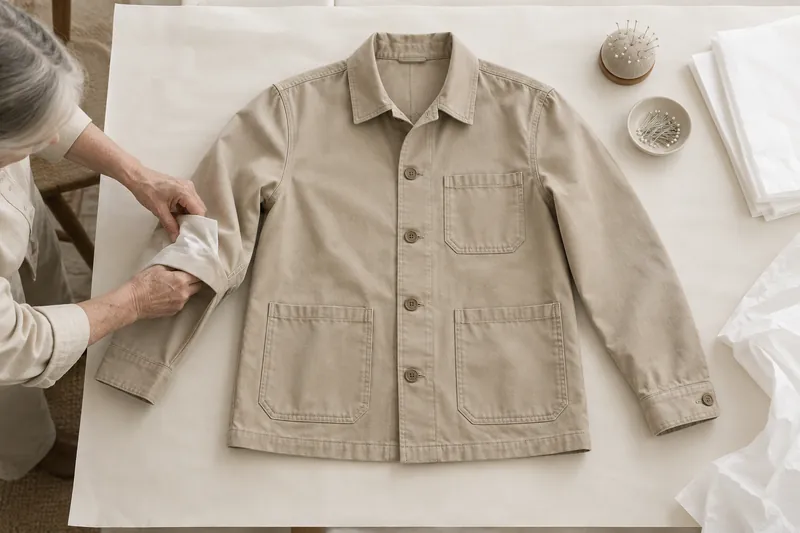
Flat lays struggle with shape. A fitted dress or a structured jacket looks like a cut-out when it lies flat, and creases show more than on a body. Stylists shape garments with tissue and pins to add some volume, which helps, but a flat lay never shows fit.
What marketplaces ask for
Often the channel picks the main image for you, and the big ones disagree:
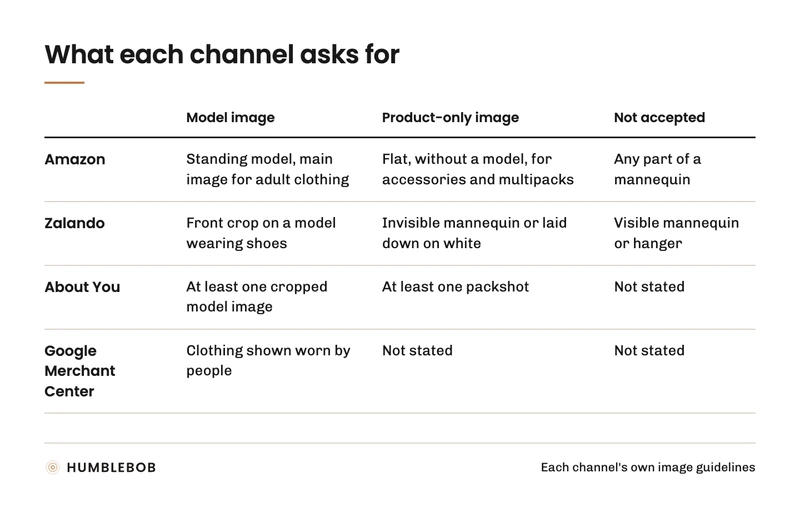
- Amazon wants adult clothing on a standing model in the main image and says: "Don't show any part of a mannequin, regardless of the mannequin's appearance." A ghost mannequin cannot be the main image for adult clothing there. Accessories and multipacks go flat, without a model, and Amazon's 2021 fashion guide asked the same for kids' and baby clothing.
- Zalando accepts either a front crop on a model wearing shoes, or a packshot that is an invisible mannequin or a laid-down shot on white. A visible mannequin or hanger gets the packshot rejected.
- About You asks for at least one packshot and one cropped model image per apparel item.
- Google Merchant Center asks for clothing to be shown worn by people.
A brand that sells on its own site, on Amazon and on Zalando needs on-model images and a clean product-only image. Plan both from the start instead of reshooting later.
Ghost mannequin vs flat lay vs on-model: which to use for which job
| Job | Use |
|---|---|
| Main product page images for apparel | On-model |
| Fit-sensitive categories (denim, dresses, tailoring) | On-model, with full-length and side views |
| Category page grid | One style for the whole grid; mixing looks messy |
| Marketplace main image | Whatever the marketplace's image rules require (see above) |
| Wholesale line sheets and order forms | Ghost mannequin or flat lay |
| Basics in many colours | On-model for one colour, product-only for the rest, on your own site and Zalando; Amazon wants an on-model main image for every colour of adult clothing |
| Kids' clothing | Flat lay or ghost for detail, on-model for fit |
| Social content | Flat lay for styling posts, on-model for everything about fit |
What converts better
You will find claims that on-model images convert "up to 33%" better, or that mixing styles lifts conversion by 15 to 25%. HUMBLEBOB looked for the research behind those numbers and could not find any. What does exist is more careful:
- Baymard Institute's usability testing found that without a model, users cannot judge fit or length, and 23% of sites still do not show wearable products on a person.
- A 2012 experiment with 243 women found shoppers perceived more product information when the model's face was not in the image. Amazon's 2021 fashion guide also crops main images from the nose down.
- A 2025 study found that product-focused images work better for practical garments and style-focused images for fashion-led ones.
So use on-model images where fit and styling decide the purchase and product-only images where the object is the point. Before you switch the main image across a whole range, test it on one category of your own traffic.
Generated versions of each style
All three styles can now be produced from product references instead of a shoot: on-model images from packshots, ghost mannequin images from on-model or flat images, and flat lays from product photos. Each is held to one rule: the reference is the truth, and every generated image has to match it in colour, shape and detail before it is published.
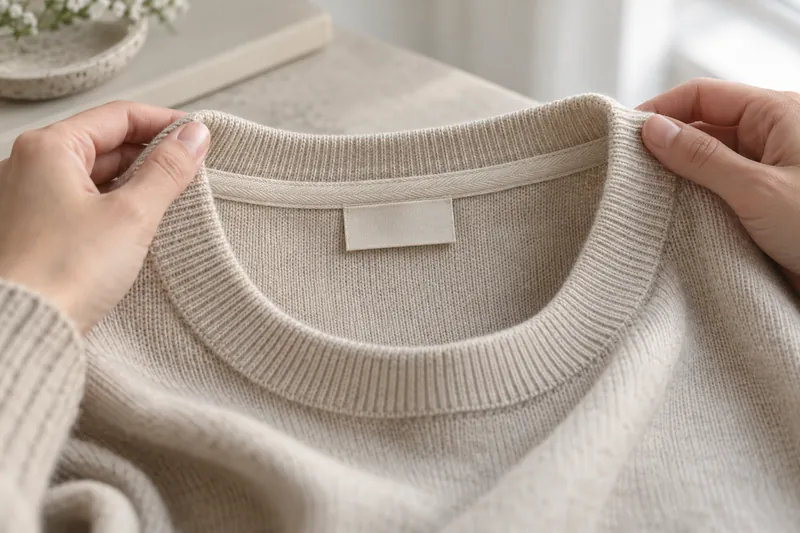
One limit matters here. A generated ghost mannequin has to show the inside of the collar and the back neck, and if nobody photographed that part of the garment, the image invents it. The same goes for the back of a garment that was only photographed from the front. When a view matters for the product, photograph it once, even if everything else is generated. HUMBLEBOB works to that rule: garment details come from your references, and a missing view is asked for, never guessed.
Marketplaces now set rules for generated images, too. Amazon asks sellers to add the keyword contains-synthetic-performer to the image metadata when the people in it are entirely generated. Zalando requires identifying data in the metadata or an invisible watermark by December 2026, and its guidelines allow no visible labels on the image and ask partners not to supply content that would need one under the law, deep fakes included. Google Merchant Center goes further and requires metadata on every image made with generative AI, so a generated ghost mannequin or flat lay needs the marking too, even with no person in it.
A sensible default
For most fashion brands that means on-model images on the product page, in a fixed order per category, plus one product-only image in the same style across the range. Write down which style goes where once, so nobody reopens the choice for every drop.
HUMBLEBOB's Product page photos cover the product page set. The full shot list per category is in how many photos a fashion product page needs.