WearView alternatives for fashion brands
What WearView says it does, and the alternatives: other AI model tools, services that review the images for you, and a photoshoot. Sources dated.

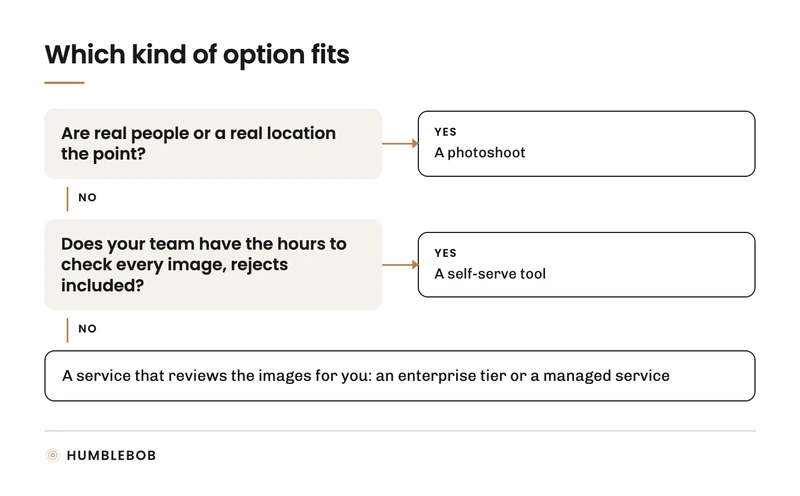
WearView is a self-serve app. For on-model fashion images it suits fast self-serve generation where your team does the checking. Alternatives fall into three groups: other self-serve tools, managed services that review the images for you, such as HUMBLEBOB, and a photoshoot. Which one fits depends mostly on who you want to check every image against the product.
Written by HUMBLEBOB, a production partner for fashion imagery and one of the options on this page, so read it with that in mind. Every statement about another company paraphrases what that company says on its own website, linked below and checked on 29 September 2026. Prices and features change. Report an error to info@humblebob.com and we correct the page.
What WearView says it does
- Type: Self-serve app
- Input: A clothing photo: flat lay, on a hanger or on a person
- Output: On-model images with a library of 100+ generated models
- Pricing: Lite, Pro and Advanced plans with 50, 200 or 500 credits a month (prices on its site)
- Trial: No free trial; money-back guarantee
- Review: Its own comparison notes that its AI output has no human retoucher review
- Based in: United States
- Sources: home page and pricing, comparison page, company details
Reasons to compare options
These are the questions that decide the choice, not complaints about any vendor:
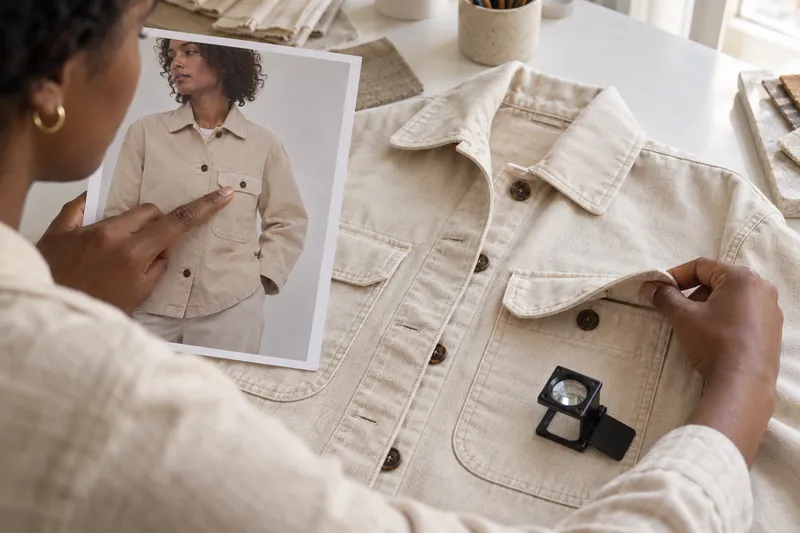
- Review hours. With a self-serve tool, someone on your team compares each image with the packshot, including the rejects. At a few hundred images per season that adds up.
- Paying for rejects. Credits pay for every generation. Some enterprise tiers charge only for images that pass; ask every vendor what you pay for when an image fails.
- One model across the range. Check whether the same person holds up in back and three-quarter views across many products.
- Channel rules. Marketplaces handle AI images differently; plan for the channels you sell on.
The alternatives
Other self-serve tools
| Tool | Pricing (as published) | Review, as stated | Sources |
|---|---|---|---|
| Botika | Pro and Advanced plans billed annually, Enterprise: custom; 1 credit per photo, 5 per video | Experts on standby for issues; the Enterprise plan includes review of your images by a dedicated team | pricing, FAQ, home page, company details |
| FASHN | USD 19, 49 or 99 a month (Basic, Pro, Agency), paid in credits | Tells users to compare each image with the real product before publishing | pricing, home page, company details |
| Uwear | USD 0.10 per credit, minimum 170 credits, credits do not expire; Enterprise: custom, shaped around your catalogue | An optional automated AI reviewer checks each image and retries failures (shown on its home page without a plan named) | pricing, home page, about |
| Photoroom | App plans with monthly credits and exports; the API is priced per image | Automated checks against brand rules; the Enterprise Guarantee charges only for outputs that pass agreed fidelity criteria | pricing, API pricing, home page |
| The New Black | USD 15, 35, 65 or 195 a month (Starter to Enterprise); 1 credit is about 1 image | Agents write a plan and wait for your approval before spending or publishing | pricing, home page, company details |
Services that review the images for you
- Enterprise tiers. Enterprise plans that add review or pass-only pricing, as the vendors state it: Botika and Photoroom; see their rows above.
- HUMBLEBOB (Netherlands). Production partner for fashion imagery. We read your brand, sort your briefing, make the assets, deliver them ready for your channels and put what we learn into the next drop. Each image passes a defect check, then people review each batch against your packshots and your rules before delivery. Each pilot is priced per brand, with no standard rate card. See how HUMBLEBOB works.
A photoshoot
Still the right choice when real people or a real location are the point. What it costs, line by line: what a fashion e-commerce photoshoot costs.
How to choose
- Count the images you need per season and the hours your team can spend checking them.
- Run the same few dozen real products, including your hardest, through each option you are considering. The checks are in AI models for clothing brands.
- Compare the cost per accepted image, not the price per generation.
The full side-by-side of all vendors is on AI fashion model tools compared.